Weather Proxies
Lots of good GA fields have no METAR, no TAF, or only one of the two. PlaneWX picks a nearby station so you still get observations and forecasts — and you can change the pick.
When this matters
If the airport itself publishes a METAR, PlaneWX uses that METAR. Same for TAF. A hole means the native product is missing — METAR only, TAF only, or both. Proxies fill the hole. Airports with both products native never ask you for a proxy.
Proxy weather is still someone else’s field. Valley fog, terrain wind, and lake effect can miss the proxy. You’re PIC — this is decision support, not a go/no-go guarantee.
Add Trip — pick on the way in
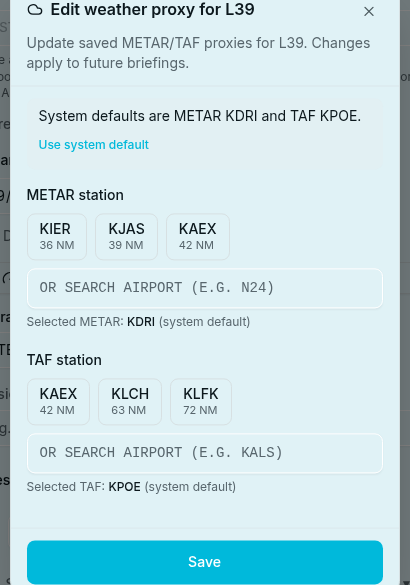
When you open Watch a New Trip and origin or destination validates with a METAR and/or TAF hole, PlaneWX opens a small dialog for that airport — origin first, then destination if both need it.
- System defaults are pre-selected (nearest sensible METAR and/or TAF mapping).
- Pick another nearby station, or keep the system default.
- Check Remember if you want that pick next time for this airport.
- Dismiss keeps preferred (if you had one) or the system default — the trip still gets a proxy.
Home airport is not special here. If home has a hole, you get the same dialog when Add Trip opens with home pre-filled.
Weather line before Create / Watch
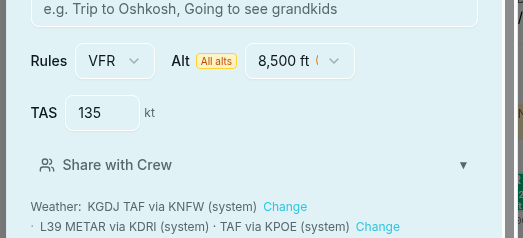
After origin and destination are set — whether you finished the dialog or Remember skipped it — a quiet one-liner sits above Create / Watch:
- saved — a Remember preference is in play
- system — system default mapping
- your pick — you chose something other than the system default for this trip
- Change opens that airport’s proxy dialog again
- Native airports stay off the line. Both ends native → no Weather line at all
Preferences → Weather proxies
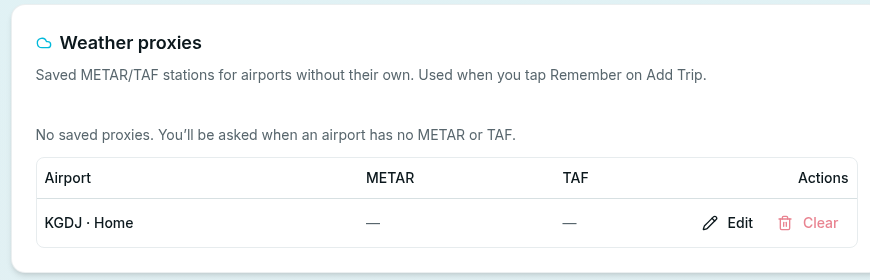
Profile → Preferences → Weather proxies.
A table of airports you’ve Remember’d (plus your home row). Each row shows METAR and TAF proxy, whether it’s system or your pick, and Edit / Clear.
- Home is always listed. Editing home dual-writes the home card proxy badges.
- Edit opens the same per-airport dialog (manage mode).
- Clear deletes the saved row. Next Add Trip for that airport prompts again (no silent Remember skip).
On the briefing — disclosures
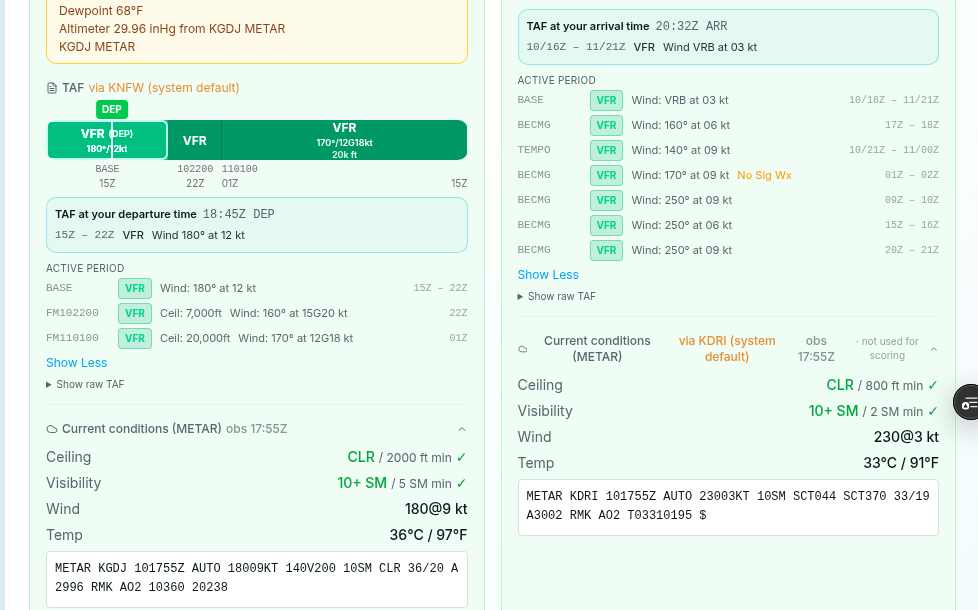
Proxy use is labeled, not buried. Look for system default vs your pick where a nearby station stands in:
- Score gotchas when proxy weather drives a deduction
- Ceilings & visibility
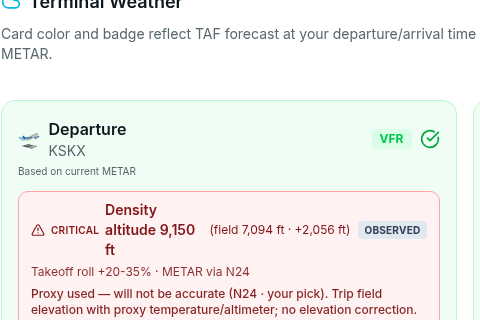
- Terminal weather — compact via the proxy station (not a fat yellow banner)
- Density altitude — when METAR is proxied: Proxy used — will not be accurate (local field elevation with another airport’s temperature and altimeter)
- Wind / runway analysis when the observation is proxied
- Email and print briefings carry the same via / provenance wording
METAR vs TAF — often different fields
The nearest AWOS may not issue a TAF. PlaneWX can use one station for METAR and another for TAF. That’s intentional — closest product for each hole.
What this is not
- Not a promise that conditions at the proxy match your field.
- Not a substitute for calling the FBO, checking cams, or your own judgment.
- Not a go/no-go order — the WX Score is decision support. You decide.
Related
- Creating a Trip — Watch a New Trip flow
- Understanding Briefings — reading terminal weather and gotchas
- WX Score — how the score fits personal minimums
- International Airports — coverage outside the US